MT5 MT5 Strategy Tester • Backtesting • POW EA

MT5 Backtesting

How to use MetaTrader 5 Strategy Tester correctly, avoid overfitting, and choose hardware that doesn’t slow your research down.

Backtesting in MetaTrader 5 lets you pressure-test ideas on historical data before risking real money. In this guide we walk through how MT5 Strategy Tester works, what “good” backtests look like, how to use optimization without curve-fitting your EA, and what kind of PC or server you actually need for serious MT5 backtesting.

Jump to the MT5 backtesting guide
Understand MT5 Strategy Tester
Learn how the MT5 Strategy Tester executes trades, calculates equity curves, and which metrics really matter beyond just “total profit”.
Optimize without curve-fitting
See how to use genetic optimization, walk-forward and Monte Carlo tools to search for robust parameters instead of overfitting one lucky period.
Choose the right hardware
Compare a home PC, VPS and dedicated MT5 backtesting server, and find out when it is time to move your Strategy Tester to a faster machine.
MT5 Backtesting and Strategy Optimization

What is Backtesting and Strategy Optimization in MT5?


Backtesting in MetaTrader 5 (MT5) lets you test and optimize trading strategies on historical data before risking capital in live markets.

Understanding Backtesting in MetaTrader 5

Backtesting in MT5 is the process of running a trading strategy on historical market data to estimate how it would have performed. Using the built-in Strategy Tester, traders can simulate order execution, track equity curves, and assess metrics like profit factor, drawdown, and Sharpe ratio. Typical questions backtesting helps answer include:

  • Would this strategy have been profitable in the past?
  • What maximum drawdown and volatility should I expect?
  • Is the risk level acceptable for my account size?

Why Strategy Optimization Matters

Optimization extends basic backtesting by iterating over many parameter combinations to find robust settings for your Expert Advisor (EA). Commonly tuned inputs include:

  • Stop-loss / take-profit distances
  • Indicator periods and thresholds
  • Position sizing and risk controls

The goal is to improve out-of-sample performance while avoiding overfitting. Robust workflows use walk-forward analysis and validation datasets to confirm that results generalize beyond the training period.

Key Benefits of MT5 Backtesting

  • Risk reduction: uncover strategy flaws before committing real money.
  • Performance visibility: evaluate profitability, drawdowns, win rate, and risk-to-reward.
  • Speed at scale: run thousands of simulations faster on a powerful dedicated server or GPU-ready host.
  • Coverage: test across multiple symbols and timeframes simultaneously.

Backtesting vs. Forward Testing

Backtesting uses past data; forward testing (paper trading) runs the strategy in live conditions without real capital. Combining both helps ensure your system isn’t curve-fit and can adapt to current market microstructure and volatility regimes.

Key Benefits of MT5 Backtesting

Looking to build good backtesting (optimisation) PC? We have it.

When renting a dedicated server for MT5, it's crucial to carefully consider various factors, with processor selection being a top priority. Both the AMD Ryzen 9 7950X and the Intel Core i9-13900K offer impressive performance, but they differ in core count, thread count, and clock speed. For traders seeking maximum multitasking capabilities and willing to invest in a high-end processor, the Ryzen 9 7950X is an excellent choice. However, for those who prioritize cost-effectiveness or need strong single-threaded performance, the Core i9-13900K is a compelling option. Ultimately, traders should evaluate their specific needs, budget, and performance requirements to make an informed decision when renting a dedicated server to optimize MT5.
The right processor can greatly enhance the performance of your MT5 trading platform. Carefully assessing your needs and understanding the strengths of each processor will help you make an informed decision, ensuring a reliable and efficient trading environment.
We can help you with this choice...
AMD Ryzen and Intel Core
On the dedicated machine, all the CPU power will be allocated exclusively to your application!
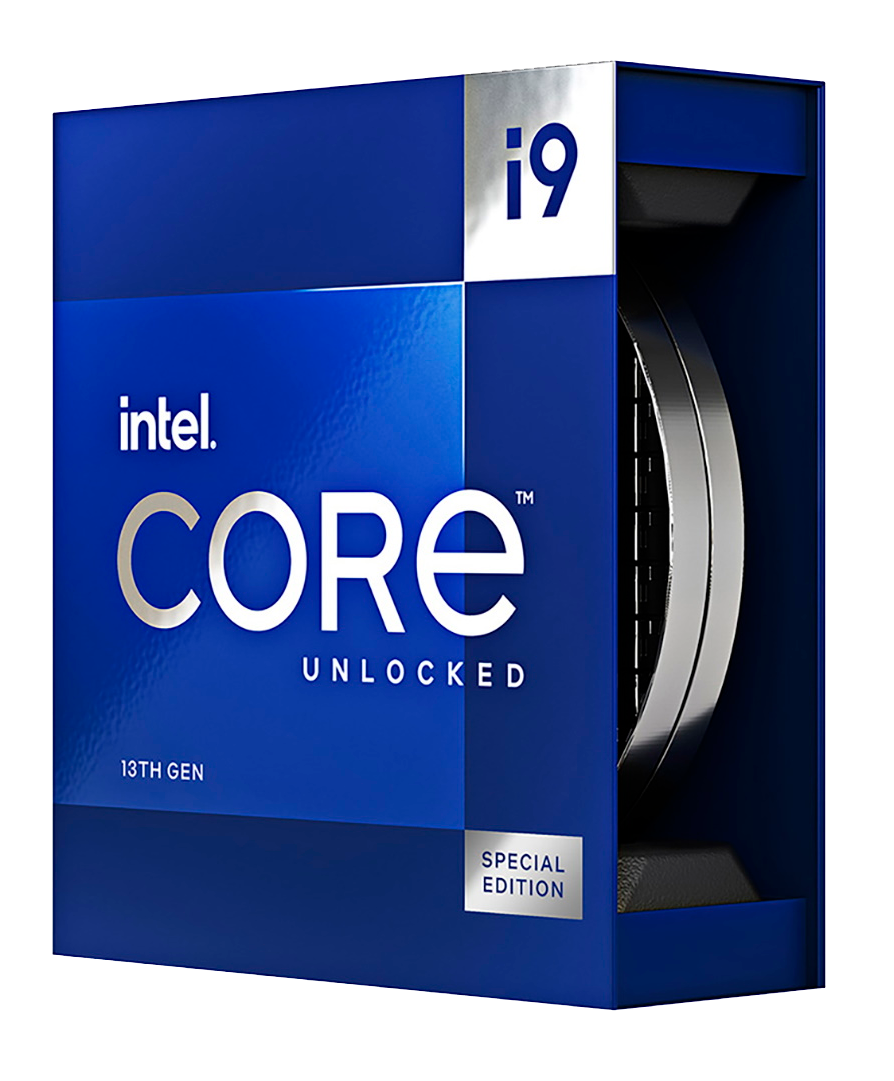
For example, the Intel i9-13900K has 24 primary cores and 48 thread cores.

You will be able to utilize all this power to work for Backtesting on MT5 or MT4.
Full CPU performance

of Intel® Core™ i9 and AMD Ryzen 9 / EPYC™

Dedicated servers with high-performance CPUs for your MetaTrader backtests.

Dedicated Servers typically have high-performance hardware, which can provide the necessary resources for running virtual machines. This helps ensure that containers run smoothly and efficiently, without being impacted by resource constraints.

Fast processors and low ping will ensure convenient and stable operation with MetaTrader 5 or 4 software on our servers.

Intel Core i9
Intel® Core™ i9 dedicated servers give you all cores exclusively for your MT4/MT5 terminals, Strategy Tester and EA workloads — no noisy neighbors and no shared CPU limits.
Final step

Ready to stop waiting 2–3 days for every optimization?

Tell us which EA you are running and what kind of optimizations you launch. We will propose an MT5 farm configuration that fits your workload and budget.

Chat via Telegram / WhatsApp
Share a short description of your EA, symbols, history depth and typical number of passes.

Server Requirements for MT5 Backtesting

To run MT5 strategy testing and optimization effectively, your hardware must minimize test time and maximize stability. The workload is primarily CPU-bound, with RAM capacity and storage I/O as critical secondary factors.

CPU: The Primary Bottleneck

The MT5 Strategy Tester distributes tasks across CPU cores. High single-core speed is crucial for individual runs, while multi-core throughput accelerates optimization sweeps and large POW EA campaigns.

  • At least 8C/16T; 16–32 cores for large-scale jobs.
  • High clock speed & modern architectures (Intel Core/Xeon, AMD Ryzen/EPYC).
  • Strong cooling to maintain boost clocks for long sessions.

RAM: Hold All Data in Memory

More symbols and longer tick histories increase memory needs. If RAM is insufficient, paging slows tests dramatically and your MT5 backtesting server will not be able to keep up with the Strategy Tester load.

  • Minimum: 16 GB
  • Recommended: 32–64 GB
  • Heavy workloads: 128 GB+

Storage: NVMe is Essential

  • Use PCIe NVMe SSD for data and cache directories.
  • 1–2 TB recommended for multiple years of tick data.
  • RAID1 mirroring + offsite backups for safety.

Operating System & Platform

  • Windows Server 2019/2022 or Windows 10/11 Pro.
  • Disable sleep/hibernate, set High Performance mode.
  • Prefer dedicated servers for stability; VPS only for light workloads.

Network Considerations

Backtests run locally, but stable internet is needed for history sync, licensing, and remote monitoring.

  • 100 Mbps+ symmetric bandwidth.
  • Low latency helps remote desktop responsiveness.
  • DDoS-protected data center networks recommended.

Example Builds

Tier CPU RAM Storage Use Case
Starter 8C/16T 32 GB 1 TB NVMe Small single-symbol tests
Pro 16C/32T 64 GB 2 TB NVMe Multi-symbol tick optimization
Enterprise 24–32C server CPU 128 GB+ 2 TB NVMe (RAID1) Large portfolios, long history sets

Processor Comparison for MT5 Backtesting

When you choose a processor for an MT5 backtesting server, you balance core count, frequency and price. Below is a practical comparison of two popular CPUs for MT5 Strategy Tester workloads: the AMD Ryzen 9 7950X and the Intel Core i9-13900K.

AMD Ryzen 9 7950X

The AMD Ryzen 9 7950X provides 16 cores and 32 threads, making it a strong choice for multitasking-heavy MT5 backtesting. With many high-performance cores, it can handle multiple MT5 terminals, Strategy Tester agents and additional tools (data analysis, monitoring, analytics dashboards) running side by side.

Traders who frequently run several optimization jobs in parallel, or who keep other applications open on the same machine, benefit from the Ryzen’s strong multi-core throughput and consistent performance across all cores.

Intel Core i9-13900K

The Intel Core i9-13900K combines 8 performance cores and 16 efficiency cores (24 cores total, 32 threads) with very high turbo frequencies up to ~5.8 GHz. This architecture delivers excellent single-threaded performance while still offering a large number of logical cores for MT5 Strategy Tester agents.

For tasks inside MT5 that rely heavily on per-core speed and for users who value shorter time per individual backtest pass, the Core i9-13900K can show an advantage, especially in scenarios with fewer but very intensive optimization jobs.

Multitasking vs. Single-Threaded Performance

The Ryzen 9 7950X shines in heavy multitasking: running multiple EAs, terminals and tools in parallel with many active Strategy Tester agents. The Core i9-13900K focuses on very high clock speeds, which can be beneficial for workloads where single-core performance is critical and the number of concurrent tests is moderate.

Using MT5 Strategy Tester at Full Power

When renting or building a dedicated server for MT5, processor selection is one of the most important decisions. Both the AMD Ryzen 9 7950X and the Intel Core i9-13900K offer excellent performance; the right choice depends on how you use MT5 Strategy Tester:

  • If you want maximum multitasking capability and plan to run many parallel optimizations and tools, the Ryzen 9 7950X is an excellent option.
  • If you prioritize strong single-threaded performance and shorter time per individual pass, the Core i9-13900K is a compelling choice.

Ultimately, you should evaluate your specific MT5 backtesting workflow, the number of symbols and EAs you optimize, and your budget. This helps you choose the processor and server configuration that will keep MT5 Strategy Tester running at full power without becoming the bottleneck in your research.

Dedicated MetaTrader servers

Choose a CPU tier that matches your MT4/MT5 workload.

All servers come with fast NVMe or SSD storage, plenty of RAM and direct Remote Desktop access. You can run multiple MetaTrader terminals, EAs and tools on each configuration.

INTEL-i5-64
Entry dedicated box for several MT4/MT5 terminals and light optimizations.
€ 88 / month
+ €39 one-time setup & assembly
  • CPU Intel Core i5-13500, Max Turbo up to 4.8 GHz, 14 cores / 20 threads.
  • 64 GB DDR4 RAM (3200 MHz).
  • 2× 512 GB NVMe Gen4 SSD — fast storage for history and logs.
INTEL-i9-129
High-frequency i9 for 10–30 MT4/MT5 terminals and more demanding EAs.
€ 125 / month
WITH OUT one-time setup fee!
  • CPU Intel Core i9-12900, Max Turbo up to 4.8 GHz, 16 cores / 24 threads.
  • 128 GB DDR4 RAM.
  • 2× 1.92 TB NVMe SSD Datacenter — plenty of room for multiple terminals and data.
Most powerful & popular
Ryzen 7950
Top choice for heavy EAs, many symbols and mixed trading + optimizations.
€ 162 / month
+ €39 one-time setup & assembly
  • CPU AMD Ryzen 9 7950X3D, Max Turbo up to 4.8 GHz, 16 cores / 32 threads with 3D cache.
  • 128 GB DDR5 ECC RAM for extra stability.
  • 2× 1.92 TB NVMe SSD Datacenter — ideal for large history and multiple MT5 instances.
START-64
Budget dedicated server for a few terminals or first move away from VPS.
from € 60 / month
WITH OUT one-time setup fee!
  • CPU Intel Core i7-6700.
  • 32 GB DDR4 RAM.
  • 2× 2 TB HDD or 2× 512 GB SSD — flexible entry configuration.
OPTIMAL-64
Balanced option for several MT4/MT5 terminals and stable 24/7 trading.
from € 70 / month
WITH OUT one-time setup fee!
  • CPU Intel Core i7-8700.
  • 64 GB DDR4 RAM.
  • 2× 512 GB SSD — fast storage for typical MetaTrader setups.
OPTIMAL-128
Popular mid-range server with enough RAM for many charts and EAs.
from € 80 / month
WITH OUT one-time setup fee!
  • CPU Intel Core i9-9900K.
  • 128 GB DDR4 RAM.
  • 2× 1 TB NVMe SSD — enough space for many MT4/MT5 instances and backups.
All dedicated servers are delivered with Windows Server 2022 Evaluation for initial testing. Windows licensing can be rented monthly or you can use your own perpetual keys. Need another configuration or location? Contact us and we will prepare a custom quote.
Final step

Ready to stop waiting 2–3 days for every optimization?

Tell us which EA you are running and what kind of optimizations you launch. We will propose an MT5 farm configuration that fits your workload and budget.

Chat via Telegram / WhatsApp
Share a short description of your EA, symbols, history depth and typical number of passes.
FAQ

FAQ: MT5 Backtesting, Strategy Tester and Optimization

Practical answers to common questions about MetaTrader 5 backtesting, Strategy Tester modes, data quality, optimization, walk-forward and Monte Carlo analysis – plus when it makes sense to move from a home PC to dedicated MT5 backtesting hardware.

?
What is backtesting in MetaTrader 5?
Backtesting in MT5 is the process of running an Expert Advisor or strategy on historical market data in the Strategy Tester to see how it would have performed. MT5 simulates order execution, calculates equity and statistics such as profit factor, drawdown and win rate, so you can evaluate a strategy before risking real money.
?
What is strategy optimization in MT5?
Strategy optimization in MT5 is running many backtests with different parameter combinations for the same EA. The Strategy Tester searches a grid or uses genetic optimization to find parameter sets that meet a chosen fitness criterion, for example maximum balance, profit factor or a custom metric.
?
What is the difference between backtesting and forward testing in MT5?
Backtesting replays past data in the Strategy Tester. Forward testing, or paper trading, runs the EA on live or simulated real-time data without using historical bars. A typical workflow is to optimize on historical data, validate on a separate out-of-sample period and then forward test in demo or small real accounts.
?
Is MT5 backtesting free? Do I need a special license?
MT5 backtesting is included in the MetaTrader 5 terminal – you don’t pay extra for the Strategy Tester itself. You only need a working MT5 installation, a demo or real account with your broker and the EA you want to test. Costs come from your time, computing resources and any historical data you buy or download.
?
Is MT5 backtesting reliable compared to live trading?
MT5 backtesting can be very close to live results if you use high-quality tick data, realistic spreads, commissions and swaps, and avoid overfitting. However, backtests cannot fully replicate live slippage, execution delays and changing market conditions, so results should be treated as an approximation, not a guarantee.
?
Why do my MT5 backtest results differ from live results?
Common reasons include different spread and commission settings, missing or lower-quality historical data, slippage and requotes in live trading, different GMT/DST settings, as well as broker-side features such as stop-level rules or execution filters. Overfitting to a specific period can also make live performance diverge from a “perfect” backtest.
?
How many years of historical data should I use for MT5 backtesting?
For intraday systems many traders use at least 2–5 years of high-quality data; for swing or position strategies 10+ years is desirable if available. The dataset should include different volatility regimes, not just one trending or ranging period. It is better to have fewer symbols with long, clean history than many symbols with very short or poor data.
?
Which modeling mode should I use in MT5 Strategy Tester: Every tick, 1 minute OHLC or Open prices only?
For scalping, intraday and strategies sensitive to intra-bar price movement you should use “Every tick” or “Every tick based on real ticks” if data is available. “1 minute OHLC” or “Open prices only” are faster and can be acceptable for higher-timeframe systems that only act on bar open or close, but they are less precise for stop-loss and intrabar logic.
?
What is genetic optimization in the MT5 Strategy Tester?
Genetic optimization is a search algorithm that evaluates only part of the parameter grid and uses ideas from evolutionary biology to find promising regions. MT5 creates “populations” of parameter sets, selects the best according to your fitness function and recombines them, which often finds good solutions faster than checking every combination.
?
How to avoid overfitting when optimizing an EA in MT5?
Use separate in-sample and out-of-sample periods, keep the number of optimized parameters small, avoid extremely narrow ranges, prioritize robust metrics over maximum profit, and validate results with walk-forward and Monte Carlo tests. A good system should show stable, not just peak, performance across reasonable parameter ranges.
?
What is walk-forward analysis in MetaTrader 5 and why is it useful?
Walk-forward analysis regularly re-optimizes the strategy on a moving in-sample window and then tests the resulting parameters on the next out-of-sample segment. MT5 can automate this process. It helps you see how the strategy behaves under a realistic workflow of periodic re-optimization instead of a single “perfect” historical fit.
?
What is Monte Carlo testing in MT5 Strategy Tester and when should I use it?
Monte Carlo testing applies random variations to trades, order sequence, slippage, spread or parameters to generate many alternative equity curves. It is useful after you have a candidate strategy to check how sensitive the results are to randomness and execution noise, and to estimate worst-case drawdowns.
?
Should I optimize all parameters at once or only a few key ones?
It is usually better to optimize only a small subset of parameters that have the strongest impact on behaviour, while keeping others fixed at sensible values. Optimizing too many parameters at once increases the risk of overfitting and makes it harder to interpret which inputs truly matter for performance.
?
What is the difference between bar data and tick data in MT5 backtesting?
Bar data only stores open, high, low and close for each timeframe, while tick data contains every price change. MT5 can generate synthetic ticks from bar data, but this may not match real intrabar movements. For strategies that depend on intra-bar dynamics or spread behaviour, real tick data produces more realistic backtests.
?
Do I need real tick data for reliable MT5 backtests?
For scalpers, grid systems and short-term intraday strategies, real tick data or high-quality imported ticks are strongly recommended. For higher-timeframe strategies that trade on bar open or close, bar-based tests may be acceptable, especially if you add realistic spread, commission and slippage.
?
How do spread, commissions and swaps affect MT5 backtest results?
These trading costs can turn a profitable raw strategy into an unprofitable one, especially for high-frequency systems. In MT5 you should set realistic spreads, commissions per lot and swap values that match your broker. Underestimating costs is one of the main reasons backtests look better than live trading.
?
How do I start a basic backtest in MT5 Strategy Tester step by step?
Open the Strategy Tester (View → Strategy Tester), choose your EA, symbol and timeframe, select backtest mode and date range, configure deposit and costs, set modeling mode (for example Every tick), and click Start. After the run, inspect the results, equity curve and report tabs to evaluate performance.
?
How do I save and reuse MT5 backtest settings (.set files)?
In the Strategy Tester inputs tab, configure your parameters and then click Save to store them as a .set file. Later you can load the same .set file to quickly restore all parameter values and ranges for new backtests or optimizations on the same or another MT5 installation.
?
How can I export MT5 backtest results to CSV, Excel or a database?
MT5 can save reports in HTML or XML, which you can convert to CSV or import into Excel. You can also write custom MQL5 code to log trades and statistics to CSV files directly during backtests, and then load those files into Excel, Python or a database for deeper analysis.
?
How do I run multi-symbol backtests in MT5?
MT5 supports multi-symbol backtesting if your EA is written to handle several symbols and subscribes to them via Market Watch. You run the EA on one chart in the Strategy Tester, but it can open and manage positions on multiple symbols as long as historical data for all of them is available in the terminal.
?
What kind of PC is enough for basic MT5 backtesting?
For occasional backtests on a few symbols, a modern 4–8 core desktop CPU, 16 GB of RAM and a SATA or NVMe SSD are usually enough. You can comfortably run single optimizations overnight. When you need to run many long tick-based optimizations on multiple symbols, a dedicated MT5 backtesting server with 16+ cores and more RAM becomes more efficient.
?
When does it make sense to switch from a home PC to a dedicated MT5 backtesting server?
It makes sense when optimizations block your PC for many hours or days, you regularly test many EAs and symbols in parallel, or your research queue grows faster than you can process it. A dedicated MT5 backtesting server runs Strategy Tester jobs 24/7 without affecting your main workstation and can complete large campaigns much faster.
?
Does MT5 use GPU for backtesting or only CPU?
MT5 backtesting is CPU-based; the Strategy Tester does not offload trading logic to the GPU. For faster backtests you should focus on strong CPUs, enough RAM and fast NVMe storage. A basic GPU is sufficient for display and remote desktop, but it does not significantly affect Strategy Tester performance.